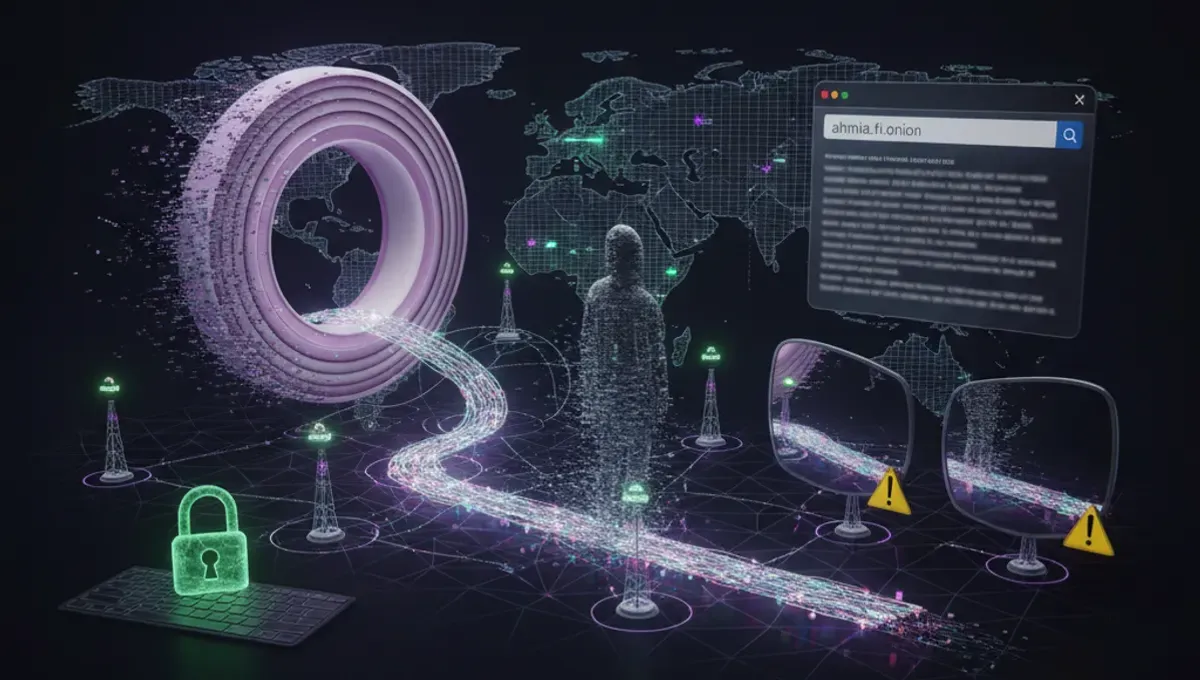
What a Deepweb Browser Does
A deepweb browser is an application that encrypts your web traffic and routes it through a series of volunteer-operated servers, called nodes, so that your real IP address and location remain hidden from the websites you visit. The Tor Browser, maintained by the Tor Project, is the most common example. It works by bouncing your connection through at least three separate relays before reaching your destination, with each relay knowing only the previous and next hop in the chain. This design means that no single point in the network can see both your identity and the site you are visiting at the same time. Deepweb browsers also disable plugins, JavaScript in certain contexts, and other features that could leak your real IP or fingerprint your device. The software is free and open-source, which means security researchers can audit the code and report vulnerabilities. Using a deepweb browser does not make you anonymous by itself; your behavior online, the information you enter, and the sites you visit all matter just as much as the tool.
How Tor Network Routing Works
When you open Tor Browser and visit a deepweb website, your request travels through three randomly selected relays before reaching the destination server. The first relay, called the entry node, sees your real IP but does not know what site you are requesting. The middle relay sees neither your IP nor the final destination. The exit relay sees the destination but not your IP. Each relay decrypts only one layer of encryption, like peeling an onion, which is why the network is called Tor (The Onion Router). For .onion addresses, the connection never leaves the Tor network at all; instead, it connects directly to a hidden service through a series of encrypted channels. This design protects against traffic analysis attacks where an observer might try to correlate incoming and outgoing traffic to identify users. However, the Tor network is not a magic shield. If you log into a personal account, upload identifying information, or visit a site that requires JavaScript, you can still be tracked. The network also depends on the security of the relays themselves and the integrity of the Tor Browser software.
Deepweb Links and Site Discovery
Finding deepweb links and deepweb sites requires different methods than searching the regular web. There is no Google for .onion addresses. Instead, users typically find links through community forums, wikis maintained by volunteers, or specialized directories that list known onion services. Many legitimate organizations, including news outlets, human rights groups, and whistleblowing platforms, maintain official .onion mirrors of their websites. These official addresses are usually published on the organization's main website and signed with PGP keys to verify authenticity. The challenge is distinguishing real sites from phishing clones, which are fake copies designed to steal credentials or malware. A phishing clone might have a URL that looks almost identical to the real one but differs by a single character. Before entering any credentials or sensitive information into a deepweb site, verify the address through multiple sources and check for PGP signatures if the site provides them. Many users bookmark verified addresses to avoid typing them repeatedly and accidentally landing on a clone.
Reality Check: How the Ecosystem Actually Works
The deepweb browser ecosystem has three key realities that users often misunderstand. First, according to Tor Project documentation, the Tor network itself is not designed to protect you from malware, phishing, or social engineering; it only hides your IP address. This matters because many users assume that using Tor Browser alone makes them completely safe, when in fact they still need to practice careful browsing habits, avoid downloading files from untrusted sources, and verify site authenticity. Second, law enforcement agencies and security researchers have demonstrated that Tor users can be deanonymized through traffic analysis, browser fingerprinting, or by exploiting vulnerabilities in the Tor Browser itself or the operating system running it. Public court records from prosecutions of darknet marketplace operators show that investigators combined Tor network analysis with traditional investigative techniques, such as financial tracking and metadata analysis, to identify suspects. This matters because it means Tor provides strong privacy but not absolute anonymity, especially if you combine it with careless operational security. Third, the best dark web browser setup includes additional layers of protection beyond Tor Browser alone, such as running it on a dedicated operating system like Tails or Whonix, using a VPN before connecting to Tor, and disabling JavaScript and plugins. This matters because each layer reduces the attack surface and makes fingerprinting or exploitation harder.
Choosing Between Browser Deep Web Options
When evaluating a browser for deep web access, consider these criteria. Tor Browser is the most widely recommended option because it is maintained by the Tor Project, receives regular security updates, and is purpose-built for anonymity. It works on Windows, macOS, Linux, and Android. I2P Browser and Freenet are alternative networks with their own browsers, but they have smaller user bases and different threat models; I2P is optimized for internal network communication rather than anonymous web browsing. Some users run Tor Browser inside a virtual machine or on Tails, a live operating system designed for anonymity, to add isolation between the browser and the rest of their system. Others use a VPN before connecting to Tor, though this adds a point of trust and can slow your connection. The choice depends on your threat model: if you are a journalist or activist in a repressive country, you need stronger protections than someone simply curious about onion sites. If you are accessing sensitive information, consider running Tor Browser on a dedicated device or virtual machine rather than your main computer. Never use multiple browsers or tabs to visit both clearnet and deepweb sites in the same session, because this can correlate your activities and reduce anonymity.
Setting Up and Using Tor Browser Safely
To set up a deepweb browser safely, follow these steps. First, download Tor Browser only from the official Tor Project website, never from a mirror or third-party source, because malicious versions exist. Verify the signature of the download if you are comfortable with PGP. Second, install the browser in a dedicated folder and do not modify its settings unless you have a specific reason, because the default configuration is designed for security. Third, before visiting any deepweb sites, test your setup by visiting a site that shows your IP address to confirm that Tor is working. Fourth, set your Tor Browser security level to Standard or Safer depending on your needs; Safer disables JavaScript and some plugins but may break some sites. Fifth, never maximize your browser window to full screen, because this can help attackers fingerprint your device based on screen resolution. Sixth, do not install plugins or extensions unless absolutely necessary, because they can bypass Tor. Seventh, do not enable plugins like Flash or Java, which can leak your real IP. Finally, keep Tor Browser updated by allowing it to check for updates automatically. Common mistakes include changing privacy settings, disabling security features to make sites load faster, and reusing usernames or passwords across multiple sites.
Risks and Misconceptions About Deepweb Browsers
Using a deepweb browser does not make you invisible or immune to law enforcement. The Tor network protects your IP address but not your behavior. If you commit a crime, investigators can still identify you through traditional methods: financial transactions, metadata, behavioral analysis, or by exploiting vulnerabilities in the software or your operating system. Many people believe that using Tor Browser automatically means they are accessing illegal content, but the vast majority of Tor traffic is legitimate. Journalists, activists, people in countries with censorship, and ordinary users concerned about privacy all use Tor for lawful purposes. Another misconception is that the deepweb is a single unified place; it is simply any part of the internet not indexed by search engines, and it includes everything from private email services to corporate intranets to .onion sites. The darknet, a subset of the deepweb that requires specific software like Tor to access, is where many illegal marketplaces have operated, but it is also home to legitimate privacy-focused services. Understanding this distinction matters because it helps you avoid conflating anonymity tools with criminal activity. Finally, many users assume that a VPN plus Tor Browser is always better than Tor alone, but this is not necessarily true. A VPN before Tor means the VPN provider can see that you are using Tor, and a malicious VPN can compromise your anonymity. The decision to use a VPN depends on your specific threat model and whether you trust the VPN provider.
Next Steps for Secure Deepweb Access
If you decide to use a deepweb browser, start by understanding your own threat model. Ask yourself why you need to access onion sites and what information you are trying to protect. If you are simply curious about how the technology works, Tor Browser on your regular computer with standard security practices is sufficient. If you are handling sensitive information or believe you are at risk of surveillance, consider running Tor Browser on Tails or a virtual machine, and take time to learn about operational security practices. Download Tor Browser from the official Tor Project website today, read the documentation on their site, and test your setup before visiting any deepweb sites. Join communities focused on privacy and security to learn from experienced users, but be skeptical of anyone claiming to sell you special tools or guaranteed anonymity. The most important step is to treat a deepweb browser as one tool in a larger security practice, not as a complete solution. Your behavior, your passwords, your device security, and your awareness of phishing and social engineering matter just as much as the browser itself.
Frequently asked questions
Is using a deepweb browser illegal
No. Using Tor Browser or any deepweb browser is legal in most countries. The tool itself is designed for privacy and is used by journalists, activists, and ordinary people lawfully every day. However, what you do with the browser matters; accessing illegal content or committing crimes remains illegal regardless of what tool you use.
Can I be tracked if I use a deepweb browser
A deepweb browser hides your IP address from the sites you visit, but you can still be tracked through other means. If you log into a personal account, enter identifying information, or combine Tor with careless behavior, you can be identified. Law enforcement has successfully traced Tor users by combining network analysis with traditional investigative techniques.
What is the difference between the deepweb and the darknet
The deepweb is any part of the internet not indexed by search engines, including private email, corporate intranets, and paywalled content. The darknet is a small part of the deepweb that requires specific software like Tor to access. Not all deepweb content is on the darknet, and not all darknet activity is illegal.
Do I need a VPN with my deepweb browser
Using a VPN before Tor adds complexity and may not improve security. A VPN provider can see that you are using Tor, and a malicious VPN can compromise your anonymity. For most users, Tor Browser alone is sufficient. If you use a VPN, choose a provider you trust and understand the trade-offs.
How do I know if a deepweb site is real or a phishing clone
Verify the site address through multiple trusted sources, check for PGP signatures if the site provides them, and look for official announcements on the organization's main website. Bookmark verified addresses to avoid typing them repeatedly. If a site asks for credentials or sensitive information, verify its authenticity before entering anything.